
Microsoft Store
The existing Store edition remains separate. Microsoft manages its availability; this test does not change the stable channel.
View stable channel / Store listing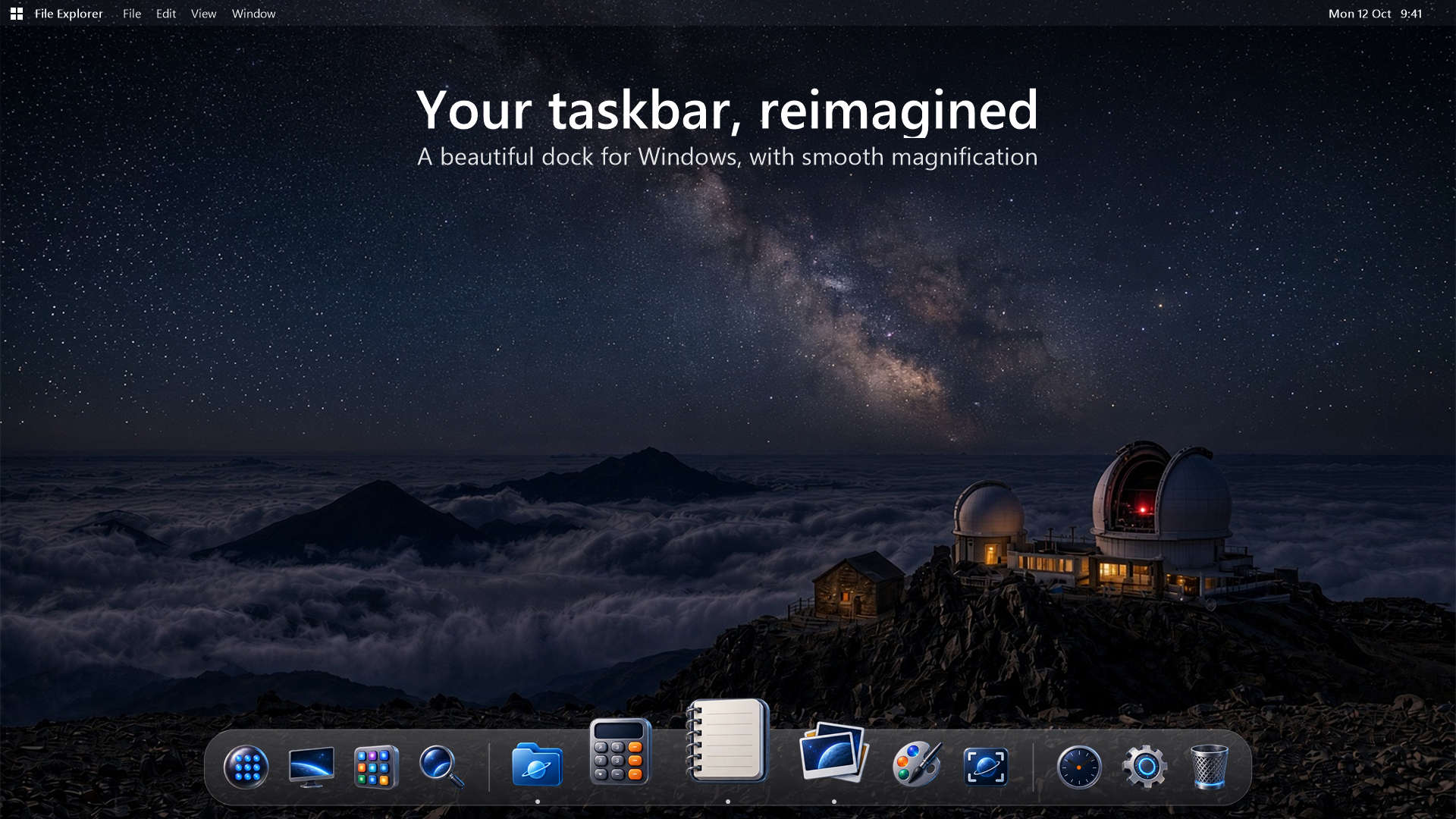
 DOCK
DOCKA real taskbar replacement for Windows 11 with smooth magnification, live previews, search, a contextual menu bar and fourteen complete desktop themes.
Harbor hides the Windows taskbar, reserves desktop space and tracks real application windows through Win32 shell hooks. If Harbor quits or crashes, its watchdog restores the taskbar.
1.0.2 is an ASUS recovery test. The stable channel stays separate.
The existing Store edition remains separate. Microsoft manages its availability; this test does not change the stable channel.
View stable channel / Store listingUnsigned test installer: Windows may show an unknown-publisher warning. ASUS/NVIDIA flickering and crashes are not yet confirmed fixed. Keep this separate from stable.
Quit Harbor Dock, including the Store edition. Download and open the EXE; install over the direct-install edition without uninstalling. The installer launches in safe mode. Later, use Start → Harbor Dock Tools → Harbor Dock (Safe mode). The regular shortcut starts normal mode. No GitHub account is needed.
Stable and beta update feeds remain unchanged. This unsigned test is a manual download; it is not offered through automatic updates.
39 core checks, Windows report-export privacy checks, signed-feed interoperability, Release build and installer compilation pass CI. ASUS hardware acceptance and an installed upgrade/restart test are still pending. Please report whether safe mode works, your GPU/driver, display setup and reproduction steps. The app interface is English. Report IDs support manual follow-up; no remote ticket server is connected.
65226efdc62dbe9fd1eec29a7a1703e7fe1addbc0b728d30ee12162ec70a4108Earlier test 1.0.1 — ASUS issue reportedDownload SHA-256 checksumA full Windows desktop with Harbor’s menu bar, magnifying dock and live running indicators.
Screenshots show the application’s English interface.The lighthouse, the wave and your apps: explore the visual world of Harbor Dock.
Every feature below is represented in the Harbor source and release materials—not a speculative roadmap.
A 60 fps magnification loop expands the icons nearest your pointer and idles at 0% CPU.
Pinned and unpinned running apps, grouped windows, attention bounces and Keep in Dock.
DWM thumbnails appear on hover; switch to a window or close it directly from the preview.
A full-screen Launchpad discovers Start Menu and Store apps, filters as you type and pins with a right-click.
Search apps, indexed files, calculations and the web from the dock or a global shortcut.
Active app, window actions, Now Playing, keyboard language, battery, network, volume and time.
Hand-made icon sets with matching daypart wallpaper and lock-screen scenes.
Reserved screen space, full-screen detection, auto-hide, multi-monitor choice and taskbar restoration.
Launchpad brings Start Menu and Microsoft Store apps into one searchable grid.
Hover for live previews, select a window or close it without leaving the dock.
Use Alt+Space to reach apps, indexed files, calculations and web search.
The menu bar follows the active app and keeps system status within reach.
The first fourteen days include every Pro feature. After that, Harbor Basic keeps the essential dock working—with no ads, accounts or tracking.
The complete everyday dock.
 HARBOR PRO
Every visual world and the complete shell experience.
Harbor is a .NET 9 WPF application using Win32, AppBar, DWM thumbnails, Windows Search and native shell events. Settings and logs stay in your AppData Harbor folder.
The product materials specify no ads, no account requirement and no behavioral tracking. Licensing is tied to the Microsoft Store account.
A polished dock, a complete desktop and one calmer way to work.